Saturday, 30 May 2020

How To Download/Restore/Load Sample Database In PostgreSQL Using pgAdmin4


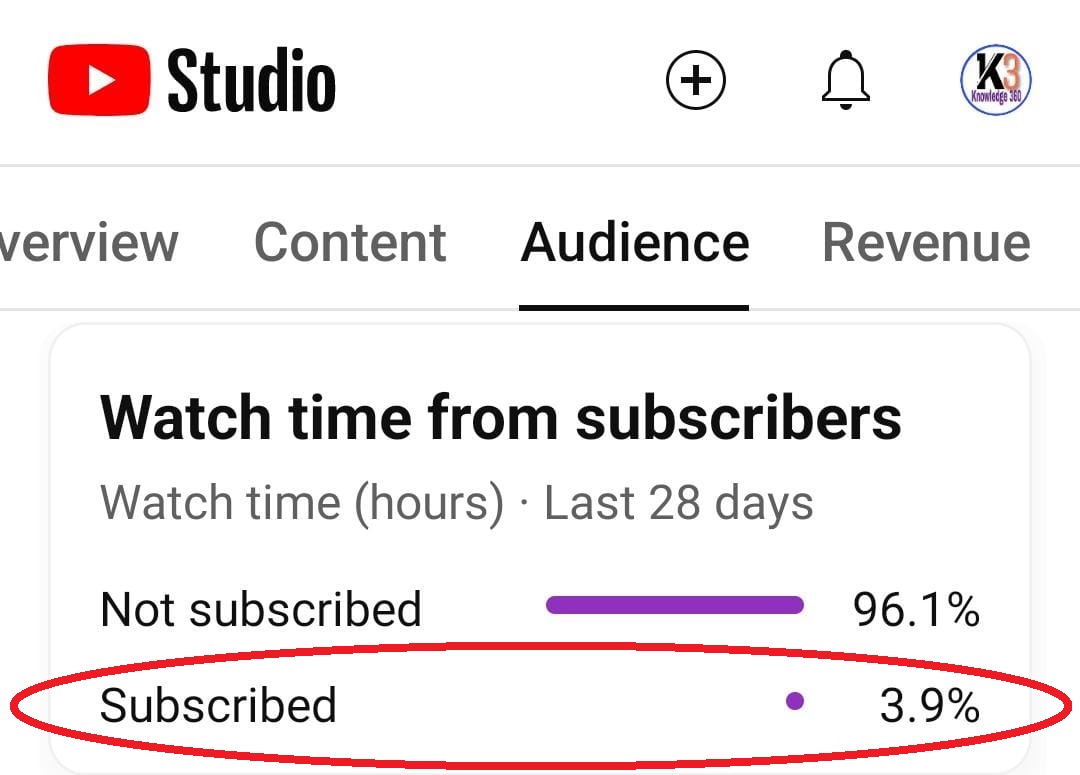
Only 3.9% of viewers are subscribing to my channel 😓.
I request you to please give click on Subscribe button.
It really helps me grow 😢.


We will use the DVD rental database for demonstrating the features of PostgreSQL.


The DVD rental database represents the business processes of a DVD rental store. The DVD rental database has many objects including:


15 tables

1 trigger

7 views

8 functions

1 domain

13 sequences


PostgreSQL Sample Database Tables

There are 15 tables in the DVD Rental database:


actor – stores actors data including first name and last name.

film – stores films data such as title, release year, length, rating, etc.

film_actor – stores the relationships between films and actors.

category – stores film’s categories data.

film_category- stores the relationships between films and categories.

store – contains the store data including manager staff and address.

inventory – stores inventory data.

rental – stores rental data.

payment – stores customer’s payments.

staff – stores staff data.

customer – stores customers data.

address – stores address data for staff and customers

city – stores the city names.

country – stores the country names.


You can use the pgAdmin tool to restore the sample database from the downloaded database file using the following steps:


First, launch the pgAdmin tool and connect to the PostgreSQL server.


Next, right-click on the dvdrental database and choose Restore… menu item as shown:


After that, wait for a few seconds to let the restoration process completes.


Finally, open the dvdrental database from object browser panel, you will see the tables in the public schema and other database objects as shown.


We have shown you how to load the dvdrental sample database into the PostgreSQL database server for learning and practicing PostgreSQL.


Let’s start learning PostgreSQL and have fun!

How To Return A Table From A Function In PostgreSQL || PostgreSQL Tips


Only 3.9% of viewers are subscribing to my channel 😓.
I request you to please give click on Subscribe button.
It really helps me grow 😢.


RETURNING A TABLE FROM A FUNCTION IN POSTGRESQL

Sometimes for our needs, we may need to return a table from a user-defined function a table. In this blog, we will see how to accomplish this using the PostgreSQL database.

Before going to function and it’s implementation, let’s create a table and store several dummy records in it.
After insertion, let’s check the table values by executing the below statement.

select * from public.functiontest;

CREATE TABLE public.FunctionTest
(
id numeric,
name character varying
);

ALTER TABLE public.FunctionTest
OWNER to postgres;


We have created a table named FunctionTest having 2 columns only.

Let’s put records in it.

INSERT INTO public.functiontest(
id, name)
VALUES (1, 'Akram');

INSERT INTO public.functiontest(
id, name)
VALUES (2, 'Sohail');

The output is shown in the above snapshot.

Now suppose we want to retrieve all the data available in the table by using a user-defined function.

To do it, let’s create a function.

CREATE OR REPLACE FUNCTION public.get_data(
)
RETURNS TABLE(v_id numeric, v_name character varying)
LANGUAGE 'plpgsql'

COST 100
VOLATILE
ROWS 1000

AS $BODY$
DECLARE

BEGIN
RETURN QUERY
SELECT
id,name
FROM
public.functiontest;
END;
$BODY$;

ALTER FUNCTION public.get_data()
OWNER TO postgres;


We have created a simple function get_data() that will return us all the data present in the table functiontest.

To return a table from the function, we use RETURNS TABLE syntax and specify the columns of the table. Each column is separated by a comma (,).

In the function, we return a query that is a result of a SELECT statement. We can see that the columns in the SELECT statement must match with the columns of the table that we want to return.


To call the function, we use the following statement.

SELECT public.get_data();


As we know, the function is returning a table, so here is the output for the called function.
We can also call the function as below, that gives better tabular form output.

SELECT * from get_data();

The above snapshot are the outcome of the function get_data().
So in this way we return a table from a function in PostgreSQL.

Saturday, 23 May 2020

How To Download And Install PostgreSQL 12.3 Latest Release In 64 Bit Windows 10 in 2020 || Knowledge 360


Only 3.9% of viewers are subscribing to my channel 😓.
I request you to please give click on Subscribe button.
It really helps me grow 😢.


Hello Friends, I am Akram and in this blog, I will tell you how to download and install the PostgreSQL 12.3 latest release in your windows 10 PC of 64 bit.


1. Click this link to download the installation file, which is of 190 MBs.


2. Install the file and follow step by step procedure.


3. When the installation is done, click on the finish.


4. Search for PgAdmin.


5. Now Enter the password you had given while installing.


Note:- Please take a screenshot of the configuration summary. If you forgot to, please watch the video again and uninstall the file and again install it.


Sunday, 10 June 2018

Ternary Opereator In Java || If Then Else Operator In Java || Java Techn...

Only 3.9% of viewers are subscribing to my channel 😓.
I request you to please give click on Subscribe button.
It really helps me grow 😢.


Ternary Operator in Java

-------------------------------------


- This operator is named so because it is the only operator

to take three operands.


- It is a conditional operator that provides a shorter syntax

   for the if...then...else statement.


- The first operand is a Boolean expression, if the expression

   is true then the value of the second operand is returned,

   otherwise the value of the third operand is returned.


----------------------------


Syntax


evaluation part ? codes_of_true : codes_of_false;


--------------------------------------------------------------------


public class Ternary

{

public static void main(String args[])

{

int i = 64;

double k =40.0;

int b = (i>k)?10:5;

System.out.println("b : "+b); //10

b = (i<k)?10:5;

System.out.println("b :"+b); //5

}

}


------------------------------------------------------


public class Ternary1

{

public static void main(String args[])

{

int a=5;

//int b = (int)((a==6)?5:10.0);

System.out.println((a==6)?5:10.5);

}

}


-----------------------------------------------------------

Monday, 4 June 2018

Main() Method Is Predefined Or User Defined In Java || Java Technocrat [...


Only 3.9% of viewers are subscribing to my channel 😓.
I request you to please give click on Subscribe button.
It really helps me grow 😢.


#knowledge360channel

Subscribe Technical Vlog Hindi Channel - https://www.youtube.com/c/TechnicalVlogHindi?sub_confirmation=1


You are hearty welcome to my channel.

Please watch all the videos and don't forget to Subscribe my channel.


Follow me on Social Media

--------------------------------------------------

Facebook - https://www.facebook.com/Knowledge-360-1755649231398055/


Instagram - https://www.instagram.com/akkubakku007/


google+ - https://plus.google.com/u/0/116728183002228924227


Blog - https://knowledge360blog.blogspot.in/


Java Technocrat [Hindi]

Learn Java in Hindi with Akram Sohail

Rashmi sir

Rasmi sir

Java Technocrat bhubaneswar

Java Technocrat bbsr

Java Technocrat Cuttack

Java Technocrat ctc

Akram Sohail Tutorial

Akram Sohail Channel

Main() Method Is Predefined Or User Defined || Java Technocrat [Hindi]

main method is predefined or user defined java technocrat hindi

Main() Method Is Predefined Or User Defined In Java || Java Technocrat [Hindi]


Methods in Java - Understanding Java Methods and Their Need

An explanation of Methods in Java. It also explains how a method returns values and how to write your own methods. In this ...

public static void main(String args[]) in Java Explanation (HINDI)

main method in JAVA - Why is it Public, Static and Void.

we all know about the main method's properties of being public, static, void. but why were they defined so ? All answers explained ...

Java Tutorial 13 - User-Defined Methods in Java.mp4

When we create any function first we declare a function then define and call a function.A function return something or nothing, ...

Explain about public static void main(String[] args);

How to use javap Command in Java Tutorial

Using javap command we can get the structure of a class of .class file. It just give you the overall structure of the class i.e fields ...

Defining Class in Java (HINDI/URDU)

Explain Prototype of main Method in Java Hindi

Can we call main method within the same class?

This tutorial explains how to call main method with in same class.What happens if we call main method with in same class.

Can we overload main method in java?

can overload main method java, can we overload main method, can we overload main method in java, can you overload main ...

Java - packages - Builtin and User defined

Java Package - Java API built-in packages - User Defined custom packages A java package is a group of similar types of classes, ...

public static void main(String[] args) | Java

User-Defined Methods

Describes flow of control between main method and user-defined methods.

Can we run java program without main method


Saturday, 2 June 2018

What Is Array In Java Explained With Examples | Java Technocrat [Hindi]


Only 3.9% of viewers are subscribing to my channel 😓.
I request you to please give click on Subscribe button.
It really helps me grow 😢.


Source Code

--------------------------------------


public class Data

{

public static void main(String args[])

{

// step -1

int arr[];

String str[];


//sterp-2


arr = new int[3];

str = new String[3];


System.out.println("\nSee the array elements after construction\n");

for(int i =0;i<3;i++)

{

System.out.println(arr[i]);

}


for(int i =0;i<3;i++)

{

System.out.println(str[i]);

}


// step-3


arr[0]=12;

arr[1]=15;

arr[2]=7;


str[0]="Red";

str[1]="Green";

str[2]="Blue";

System.out.println("\nSee the elements after initialistaion\n");


for(int i =0;i<3;i++)

{

System.out.println(arr[i]);

}


for(int i =0;i<3;i++)

{

System.out.println(str[i]);

}

System.out.println(arr[5]); // ArrayIndexOutOfBoundsException

}

}


-----------------------------------------------------------------------------------------

Sunday, 25 March 2018

What Are The Access Specifiers/Modifiers In Java || Learn Java In Hindi


Only 3.9% of viewers are subscribing to my channel 😓.
I request you to please give click on Subscribe button.
It really helps me grow 😢.


Access Modifiers in java
There are
two types of modifiers in java: access modifiers and non-access
modifiers.
The access
modifiers in java specifies accessibility (scope) of a data member, method,
constructor or class.
There are 4
types of java access modifiers:
  1. private
  2. default
  3. protected
  4. public
There are
many non-access modifiers such as static, abstract, synchronized, native,
volatile, transient etc. Here, we will learn access modifiers.

Source Codes

-------------------------

A.java

public class A
{
public void m1()
{
System.out.println("public : m1 method");
}
protected void m2()
{
System.out.println("protected : m2 method");
}
void m3() // default - no access
{
System.out.println("no access : m3 method");
}
private void m4()
{
System.out.println("private : m4 method");
}
void call1()
{
m1();
m2();
m3();
m4();
}
}

class test
{
public static void main(String args[])
{
A a1 = new A();
a1.call1();
}
}


B.java


class B extends A
{
void call2()
{
// m4(); // private method can't be accessed here outside the class
// rest methods can be accessed easily here
m1();
m2();
m3();
}
}

class test1
{
public static void main(String srags[])
{
B b1 = new B();
b1.call2();
}
}

C.java


class C
{
void call3()
{
new A().m1();
new A().m2();
new A().m3();
}
}
class test2
{
public static void main(String args[])
{
C c1 = new C();
c1.call3();
}
}

Friday, 2 March 2018

Types Of Variables In Java || Learn Java In Hindi


Only 3.9% of viewers are subscribing to my channel 😓.
I request you to please give click on Subscribe button.
It really helps me grow 😢.


Source Code

-------------------------------

public class Test

{

int x;

int y;

static int res;

int add(int a,int b)

{

x=a;

y=b;

int sum = a+b;

return sum;

}

public static void main(String args[])

{

Test m1;

m1 = new Test();

int value = m1.add(20,15);

System.out.println("Sum is : "+value);

}

}


------------------------------------

Wednesday, 14 February 2018

What Is The Difference Between Object And Reference In Java || Learn Jav...


Only 3.9% of viewers are subscribing to my channel 😓.
I request you to please give click on Subscribe button.
It really helps me grow 😢.


Source Code

--------------------------------

class Student

{
int roll;
String name;
String course;
Student(){}
Student(int roll, String name, String course)
{
this.roll=roll;
this.name=name;
this.course=course;
}
void display()
{
System.out.println("Name : "+name+" Roll : "+roll+" Course : "+course);
}
}
public class OvsR
{
public static void main(String args[])
{
Student ss = new Student();
ss.display();
Student ss1 = new Student(3,"Akram","MCA"); // ss1 holds the base address
ss1.display();
new Student(); // orphan reference
}
}
--------------------------

Description
--------------
What Is The Difference Between Object And Reference In Java.
Difference between object & object reference in java.
The video looks at what an object is and how to create one in Java.  It defines the terms memory reference,instantiation, class and object.It also looks at the syntax for creating an object.

Saturday, 10 February 2018

[Java] Restrictions For Declaration Of Class In Java || Learn Java 2018


Only 3.9% of viewers are subscribing to my channel 😓.
I request you to please give click on Subscribe button.
It really helps me grow 😢.


Restrictions For Declaration Of Class In Java

In this video I will explain restrictions for declaration of class in java.
please watch till the end without skipping
and please subscribe our channel


keywords
-------------
java class modifier, java access modifier, java public protected, java public modifier, java private class, java public class, java access specifiers, java modifiers, java modifiers and access specifiers, java protected class, java nested class, java inner class, java static class, java non static class, java nested static class, java basics, java tutorial, java instance variables, java class variables, variables in java, java access modifier tutorial, java inner class tutorial, java variables declaration
[Java] Restrictions For Declaration Of Class In Java || Learn Java 2018

JAVA is a truly object oriented programming language. You can't even write main function without class. Hence, it is necessary to learn to declare a class in JAVA. In this video Mr. Vineet Agrawal will show you how to declare a class in JAVA.

After watching this video you will be able to-
- Declare a class in JAVA
- Choose correct name for the class in JAVA
- Explain the structure of a class
- Define class properties
- Define class methods
In this tutorial, we will discuss about classes and objects in object oriented programming language Java. We will learn the syntax of class declaration and dive deep into access modifiers in Java. 

As the name suggests access modifiers in Java helps to restrict the scope of a class, constructor , variable , method or data member. 

There are four types of access modifiers available in java:

Default – No keyword required
Private
Protected
Public

A private member is only accessible within the same class as it is declared.

A member with no access modifier is only accessible within classes in the same package.

A protected member is accessible within all classes in the same package and within subclasses in other packages.

A public member is accessible to all classes (unless it resides in a module that does not export the package it is declared in).

We will also discuss nested class in this tutorial
A nested class is a member of its enclosing class. Non-static nested classes (inner classes) have access to other members of the enclosing class, even if they are declared private. Static nested classes do not have access to other members of the enclosing class.

Thursday, 8 February 2018

How To Set Class Path Of Java In Windows 7/8/8.1/10 || Start Java Progra...


Only 3.9% of viewers are subscribing to my channel 😓.
I request you to please give click on Subscribe button.
It really helps me grow 😢.


Set class path of java.

In this video I will show full tutorial of how to set class path of java in winows 7,8,8.1,10 etc.
You should watch this till last.
JDK - C:\Program Files\Java\jdk1.8.0_121\bin;.
Notepad - C:\Windows;C:\Windows\System32;.

KeyWords
----------------------------
how to set class path of java,, set java classpath, java class path, java, java path, classpath java, setting java path, classpath, java path setting, how to set class path of java, java path setting in windows 2018, set java classpath, java class path, java path, java, classpath java, setting java path, java path setting, how to set class path of java
How To Set Class Path Of Java In Windows 7/8/8.1/10 || Start Java Programming

Saturday, 3 February 2018

[Java] Class Method VS Object Method || How To Call Methods Explained [H...


Only 3.9% of viewers are subscribing to my channel 😓.
I request you to please give click on Subscribe button.
It really helps me grow 😢.


Object method vs class method is a very conceptual thing in Java, every programmer must know the difference between object method vs class method and how to call object method and how to call class method.

Get Source code here - 

Please Subscribe our channel - https://www.youtube.com/channel/UCRYz16fQBYSxmPZSbrOTZcA

Subscribe Technical Vlog Hindi - https://www.youtube.com/channel/UCwk6EbOPejr2kXclsmtwOQg


Source Code
------------------

class Demo
{
void call1()
{
System.out.println("We are inside Object Method");
}
static void call2()
{
System.out.println("We are inside Class Method");
}
}
public class Test
{
public static void main(String args[])
{
Demo dd= new Demo();
dd.call1(); //Object method
Demo.call2();//class method
}
}


--------------------

KeyWords
------------------------------
object method vs class method, object method vs class method java, difference between object method and class method, tutorial, cource, oop, property, java programming, java (programming language), method, class, learn,object method,class method,learn java,java hindi tutorial,knowledge 360,java program with source code,explained

Sunday, 28 January 2018

Beginning With Java Programming || Requirements To Write Java Programs |...


In this video, we guide you through the essential steps to start your journey with Java programming, focusing on setting up the class paths correctly. Understanding how to configure class paths is crucial for compiling and running Java programs, especially when dealing with multiple libraries and external dependencies.

We begin by explaining what a class path is and why it's important in the Java environment. Next, we walk you through the process of setting class paths on different operating systems, including Windows, macOS, and Linux. You'll learn how to configure the CLASSPATH variable, how to include multiple directories or JAR files, and how to troubleshoot common issues related to class paths.

This tutorial is perfect for beginners who are just starting with Java and need a solid foundation to ensure their development environment is set up correctly. By the end of this video, you’ll be able to confidently set and manage class paths, paving the way for smooth Java programming and development.

Java programming, setting class paths, Java classpath setup, Java for beginners, configure CLASSPATH Java, Java environment setup, Java development tutorial, Java class paths explained, Java basics, Java programming setup

Start Writing Programs in Java.

You need JDK (Java Development Kit)(Any version)(Latest is 1.9) and you need to set class path.

In this Video I have explained these two points.

You Should watch this if you are a programmer.

Saturday, 27 January 2018

A Simple Java Code To Open Notepad || Java Tricks


In this video, we demonstrate a simple yet powerful Java trick: how to write a Java code that opens Notepad directly from your application. Whether you're a beginner or an experienced developer, this tutorial will show you how to use Java's Runtime class to interact with your operating system and launch applications like Notepad with just a few lines of code.

We start by explaining the basics of the Runtime class and how it allows Java applications to execute system commands. Then, we walk you through writing a short and effective Java program that opens Notepad on your computer. This tutorial is a great way to expand your Java skills and understand how to leverage the language to interact with the system.

By the end of this video, you'll have a working Java program that opens Notepad, and you'll have learned a useful trick that can be applied to launching other applications or executing system commands. This tutorial is perfect for Java developers looking to explore system-level programming and discover new ways to use Java in their projects.

Java code, open Notepad Java, Java tricks, Java Runtime class, simple Java program, launch applications Java, Java programming tutorial, Java for beginners, Java system commands, Notepad with Java

Source Code

import java.io.IOException;

import java.util.*;

class Notepad

{

public static void main(String args[])

{

Runtime rs=Runtime.getRuntime();

try

{

rs.exec("notepad");

}

catch(IOException e)

{

System.out.println(e);

}

}


}